October 26, 2009

HiTi Printers Review


Image Pro fans, I’m back and here with some new information on another product line that I have been very impressed with. First, I’d like to thank you for taking your valuable time to read what I want to share with you.This company was founded in January of 2001, and in that short time has broken through the market and won multiple awards for speed, efficiency, and higher capacity acceptance. The line which I am very glad to talk about this time is the HiTi family. The HiTi family may consist of few printers, but although they don’t have a huge line as other well known brands, their high production efficiency at a low cost has garnered them multiple DIMA Shoot Out, DIMA Innovative Digital Product awards, and Taiwan Excellence awards. By these standards, they can also be winners without having an extended product line.I have prepared a quick overview of the different lines offered by HiTi, but regardless of the job, I can wholeheartedly recommend any of these to one seeking a low-cost machine with high efficiency rates. Photo Kiosk 510K
Photo Kiosk 510KHere is the smallest, but nevertheless, the hardest working and most efficient dye sublimation Kiosk using Mini 6-inch rolls. It is very compact and has everything you would need in a printer. With a 10.2-inch touch screen interface, it’s has a very presentable and modern look; and it accepts almost all types of input media. As for methods of print – you can choose between index prints, greeting cards, ID photos, and now variety collage formats. It’s fast, efficient, and mobile enough to carry to events or sports games, install and service shopping malls or cafes, or even for grandparents to print images in the comfort of their own homes.Wireless Printing Excellence – 510SI and WFT510
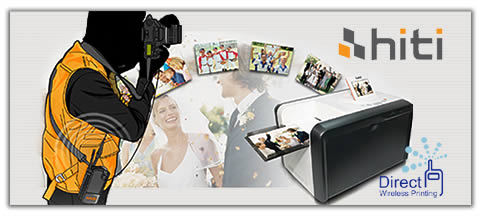
HiTi P510Si If you’re a professional or amateur photographer who needs a wireless printer that is fast, efficient, and inexpensive – look no further, because I’ve found the perfect printer that mixes connectivity with mobility and doesn’t skimp on the quality.
HiTi WTF510 compatible cameras, and process their incoming photos simultaneously at click-and-print speed. If you don’t have a Wi-Fi compatible camera, the HiTi WFT510 links to your PictBridge compatible camera (usually most cameras that have a USB port, check HiTi’s list to be sure), and with the push of a button can transmit the photos to the printer. The printer also has an option of incorporating your company’s logo into the photos as a small watermark, perfect for reminding your clients who they get the best results from.The introduction of the new P710L 7-series high-volume printer
HiTi P710L This is HiTi’s new combination of high printing speed, consistent cost per print, high capacity, and marvelous print quality – the P710L has been hailed as an excellent first roll-type photo printer. It prints a standard 4x6 in just 6.8sec, and can print as cheaply as $0.13 a print, and along with its jam-free front-loading system of over 1,400 4x6 prints and ribbon; the P710L is the printer that the photographic world has been waiting for: lightning fast printing, low operational cost, and high image quality and reliability.Thank you very much for having accompanied me through this overview of the HiTi family; it’s been a pleasure sharing this information with you. This has been Adriana from Image Pro, until next time!

October 13, 2009

Serious Graphic Technology


MACtac's slogan is "Graphics that Rock", and it expresses well the creativity and innovation that this brand is developing in each of their products. Here is a general look into some of its lines and the reason why it has been getting the best recognition for the quality and performance of their graphic products: PermaGard: Lamination for High-performance, intermediate and economy choices including the RAYZor, Enhancers, PrintCover and innovative ColorGard for UV inks.Permaflex: High performance rigid overlaminates for all of your trade show needs.PermaPrint: Intermediate adhesives for face and back mounting, same quality standards but at a better value.PermaTrans: Still the industry standard for optically clear mounting adhesives.Thermacolor: A full range of thermal protection films for image protection and encapsulation.IMAGin: The complete product family of digital media for graphics production, including MACtac's B-free air egress technology.MACscreen: Screen print media, cast and calenderer, for economy, intermediate and high performance applications.MACmark: Ten product lines ranging from economy to high-performance and specialty needs – over 250 color choices in high-performance intermediate, translucent, fluorescent, sparkle metallic reflective and luster.
IMAGin Wide FormatAs you can see, MACtac is capable of covering the full line of digital imaging, mounting and laminating, screen printing, and signage material for all your application needs. The IMAGin Wide Format digital media for example, was designed for water, solvent, and UV based ink jet printing. Producing state-of-the-art manufacturing equipment which allows MACtac to offer high-performance acrylic adhesives that perform like no others, in applications like wall graphics, vehicle wraps, floor graphics, tradeshow displays and signage.
MACtac Permacolor The Permacolor overlaminates are designed to protect graphics images while enhancing their appearance. Permacolor provides superior UV protection without distorting image quality and protects graphics from moisture and abrasions. On the other hand, the Permacolor mounting films allow for distortion-free mounting of digital, photographic, and screen printed images for a variety of substrates. Permacolor mounting films are also pH-neutral, making them compatible with sensitive paper substrates. MACscreen films are designed to produce quality graphics for the long run and in a short amount of time. Available in roll or sheet form with excellent lay flat and outdoor durability from two to seven years.
MACscreen The Typical applications of this material are vending, banners, signage, bumper stickers, billboards and much more. MACtac performance is guaranteed by the "Open-Image Warranty", where if your combination of printer, ink and media are approved by MACtac, and the results are unsatisfactory, MACtac will replace it; providing you and your business with the peace of mind MACtac strives for. If the combination is not under the pre-approved list, you can send them a sample and MACtac will test it – if it works, it will be covered under the warranty, if it doesn't, they will provide you with an alternative recommendation.
This has been Carlos from ImagePro, thanks for reading; and if you have any comments or questions, don't hesitate to contact us.

October 06, 2009

Epson Professional Printers

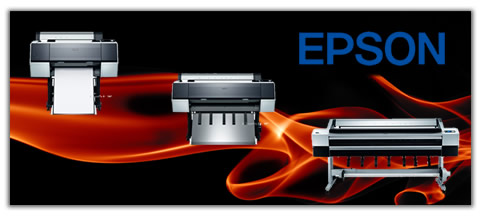
It has always been my personal preference in printing to go with Epson. The Epson line of printers has time and again given me the results I've needed, so there is no doubt that I recommend these to my clients. Today I'll be reviewing the 2009 Stylus Pro lineup, the printers mostly used by professionals and prosumers, and the ones I'm most familiar with and recommend for corporate use. We'll be taking a look at the 3800, 4880, 7880, 7900, 9880,9900, and the 11880. For most products, the jump from medium to high-end may go unnoticed unless you dig a bit deeper into your pockets for the second or third series.

Epson 3800 ProEquipped with the same print engine and ink set as the other Pro models, tabletop friendly, handles media as big as 17X22" and as thick as 1.5mm; the Pro 3800spearheads the Stylus Pro line. Also, to keep a small profile, the roll-feed has been removed; and the Matte Black and Photo Black each have an ink slot and share a printhead, saving you time and lost ink in switching cartridges.

Epson SP 4880Next, we have the Stylus Pro 4880 – significantly larger than the 3800, and rising above its predecessor Pro 4800 with faster, more durable printheads, and increased printer gamut. The Pro 4880 is also equipped with a roll-paper feed along with the standard paper tray, and switches between easily. Unfortunately, the 4800 only has 8 ink slots, so you have to manually switch between Matte Black and Photo Black, although Epson is still the most efficient at using ink between comparable printers, and the quality of prints you'll be receiving will more than compensate. All things considered, the 4880's speed and color accuracy beats the 3800, hands down.

Epson SP7900Weighing in at about 110 lbs, the Stylus Pro 7880 makes the jump from 17" on the 3800 and 4800 to 24" for crisp, vibrant, large prints. This printer comes with a wider gamut and resolution than the previous installations, along with greater longevity and accuracy; you'll be working alongside industry level equipment. Epson has since revised the 7880 into the new 7900, introducing the new UltraChrome HDR inks which raise color gamut and accuracy (Interestingly enough, Epson has for the first time utilized Green and Orange inks in the reproduction of Skin tone – providing a significant improvement!), independent Photo Black and Matte Black ink wells, and increased the printer speed. As for ease of use and print quality, the Epson 7880 and 7900 are the best printers I've seen in the 24" range.

Epson SP9900Working up to 44" rolls is the Stylus Pro 9880, also taking advantage of Epson's UltraChrome K3 inks to deliver a wider gamut; this printer also boasts cleaner, more efficient heads, and quicker production times on large prints. The revised version of the 9880, the Pro 9900comes with all the updates that the 7900 received as well; plus new dithering technology able to produce even smoother tonal transitions in both B&W and color. If you need a reliable workhorse for multiple productions of beautiful prints, check out these two Pros.

Epson SP11880Rounding out the Stylus Pro line, the 11880 is the leading authority in commercial printing. With a roll acceptance of up to 64", automatic nozzle checking and printhead alignment, separate Matte Black and Photo Black ink slots, 9 MicoPiezo TFP channel heads that produce a gorgeous, much sharper print than comparable printers, and have since been featured in the 7900 and 9900. I believe that the 11880 more than makes up for its hefty price tag in its utility and speed. It's been a blast reviewing these printers, and if you have any questions feel free to contact me at Lahcen@ImagePro.Biz . This has been Lahcen from ImagePro, thanks for reading.

September 14, 2009

Mitsubishi Photo Kiosk Review


Hi guys!Adriana here, reporting in with cutting edge info on photo tech for your everyday needs. Today, I got a chance to check out a couple of Mitsubishi Kiosks, the DPS Click 5000, and the DPS Kiosk 7000; perfect for small retail stores and onsite event photographers. These two come with a simple, do-it-yourself touch screen user interface, and the reliability and quality of the Mitsubishi printer. They each accept a wide variety of media sources including memory cards from digital cameras, USB drives, and DVD’s and CD’s; along with support for 18 different languages, their versatility is staggering, and opportunities abound for attracting and maintaining clients that may not have access to a computer with digital photo editing or printing capabilities.
If you fancy purchasing your Mitsubishi printers separately, customizing to your own needs, I’d say to go with the Click. If you want a one-stop editing and printing station, go with the Kiosk 7000. Either way, you’re getting top quality prints at economical prices. For retailers, prices can be as low as $0.13 a 4x6, and $0.37 a 5x7; cheap enough to attract passersby to try out a few shots, and they will likely return due to the ease and quality of your service. As for the photo editing software, you can eliminate red eye, crop, zoom, change filters between color, black and white, or sepia, and even add borders, text, or date stamps. All using its user-friendly touch screen, making even the least techno-savvy client feel not overwhelmed, but in control, and helping them create prints that look like they’ve been edited by a pro. These customizations aren’t limited to just prints either, there are also built-in wizards to help make personalized gifts, from greeting cards to calendars, using your own photos. Once your customers are finished with their order and ready to print, it is saved and placed in queue until an administrator releases them to be printed, usually after payment. Kiosks also have the option of integrated payment capabilities, through credit or prepaid cards, and it’ll print instantly at your client’s reach. Not only do I recommend Mitsubishi for their printing quality, but also for top-tier customer service – namely their Express Replacement Assistance service (ERA). Through the ERA, Mitsubishi will replace your printer within the first 30 days at no cost with a new device, and after the 30th day, you will be provided with a refurbished machine within 48 hours until yours is fixed. In today’s economy, and in a business where downtime is unacceptable, this service keeps your business operationally smooth, keeping you out of the red.To conclude, I’m more than happy to report that Mitsubishi’s forays into low operational cost, high quality photo processing units have exceeded my standards in revenue generators for retailers and onsite photographers. Whether the tabletop DPS Click 5000, with it’s printer customizability and space efficiency, or the DPS Kiosk 7000, with it’s one-stop editing and printing source and optional built-in payment capabilities; Mitsubishi has the versatility needed in this fast-paced venture, and I’m glad our suppliers have this much care in their work. Adriana here from Image Pro, thanks for reading!

September 04, 2009

Art Everywhere


As a sales consultant in the photo and pro-graphic area, I have the opportunity to talk with many painters and visual artists. Each artist's style and unique vision, developed through years of practice and discipline, manages to be distinctive and unique in his or her field. Also unique are their art pieces, which, once sold to a collector or individual, practically loses all other possibility of benefit or exhibition to the public.


In response, some artists are creating high quality reproductions of their works, which they sign and sell at a lower cost. An artist once commented that his average number of sales is two to three pieces a year!: “Many people expressed that they liked my work,” the artist affirms, “but almost no one had the means to buy it.” All those weeks, and sometimes months of work that an artist puts in his work, will be accessible only to a small elite.


With the low cost of the printing machines on medium and great format, the power to offer high quality reproductions has become a new alternative for this market. These unique works can now reach more people than ever. Printers of 44 inches that used to cost 12 thousand dollars or more can now be found at 5 thousand dollars and below, and that includes printers like the Epson Stylus 9900 and the Canon IPF 8100.

The great technological development in ink production assures today, a permanence of more than 100 years for a reproduction or impression exhibited indoors. The printing materials also allow diverse surfaces like canvas, paper watercolor, textures and some synthetic and translucent materials for more avant-garde projects.

Thanks to this, a wide spectrum of unconventional spaces is now available for artists. Walls in hotels, resorts, airports, universities, offices, and by all means, in each home with the need of fill that aesthetic necessity of the human being.

If the technology is the vehicle to achieve this, Image Pro is the source to reach these technologies. We can help you find the printer and media that match your expectations. We are official distributors of brands like: Epson, Canon, HP and others, and we've been assisting professionals for many years.

If you are an artist or someone who wants to open a print shop to serve the art and graphic market, please contact us for samples, demonstrations and more information at info@imagepro.biz or call us at: +1 305-969-8863

May 24, 2009

Canon Ipf8000S 44" Wide Format Photo Printer Review by Lee Alvarez


Lee Alvarez
Image Pro International


Well It’s my first editorial so I have picked a workhorse of a printer. The new Canon Ipf8000S 44” printer. First off you need to know why I picked this specific printer, so a little personal information is in order.

My name is Lee, I work for Image Pro international. I love fast cars and even faster women. The sport of choice is NFL football (Steelers fan), hard nose ,tough hard working defense. Which is why I bring you this bad boy printer. Not only will it work hard for you and get things done fast. Your getting the best print quality available.

I challenge you ,any of you out there, to match or beat this Canon.
Now that I think of it “Canon” as in cannon. Will fire away your prints at super high speed for its’ size.


The Ipf8000S is ideal for mass production in limited time, in other words crunch time is when this machine is at its’ best. Without compromising quality. Its’ industry leading innovative 8 color lucia ink configuration increases print efficiency and creates vibrant colors.

The 8000S Canon printer is built to deliver superior results without sacrificing speed. Ideal for the workhorses of the large format printing services industry.


Now for all you specs buffs, The Canon Ipf8000 has increased hard drive storage space. Which means it increases productivity by taking some of the workload from the host PC, while giving you more room for print job data storage and retrieval. With its’ 80GB hard drive your job data can be stored in protected mail boxes for easy access and printing.

This Canon printer is equipped with the ability to easily reset back to the original factory settings and apply any adjustments across all the printer's media types in minutes. At the same time this creates a stable, predictable printing platform and fantastic results, that you are sure to be amazed with.

Now unlike conventional printers with a single print head, the Ipf-8000S uses two high-precision, high density print heads with a total of 30,720 nozzles. In other words “ more bang for your buck ”At the same time it’s new Economy Print Mode produces 1200 x 1200 dpi output at 211ft2/hr on coated and uncoated paper, it reduces ink consumption by 10% to 30%.

Again this means more money in your pocket with this new feature that regulates the use of Photo Cyan and Photo Magenta inks to produce high quality output at a lower total cost. So in closing what else could you ask for, amazing quality and cost effective.


September 20, 2007

Testing the new Ultra Fast Mitsubishi CP-9800DW Digital Photo Printer


We have finally received Mitsubishi Digital Electronics America’s new long awaited CP-9800DW digital photo printer. We couldn’t wait to put it to the test and see if indeed it is as impressive and as fast as the manufacturer claims. The CP-9800 release was announced at the PMA 2007 in Las Vegas.


The CP9800DW features a high-speed USB 2.0 interface and a new high grade media identified by the letter HG at the end of the product code. This new media offers deeper black tones, improved color depth and smear-free gradation with every print.


One important point is that even if the new media is truly new and improved you can still use the media from your previous 9000 series printer (CP-9000DW, CP-9500DW or CP-9550DW) which will allow the end user to decide whether or not they choose to carry both medias (the old media is also less expensive than the newer improved HG media).


One of the most important new features of the new printer of course is speed. Thanks to its new and improved engine you can print a 4” x 6” (10x15 cm) photo in as little as 8 seconds and batch printing enables output of 400 prints per hour. This ultra fast speed puts the 9800 up there next to the Sony UPDR-150, Shinko CHC-S2145, ICI-Olmec OP1000 and Kodak 6850 as one of the fastest printers on the market. That high-speed output allows the printer to compete against any photo lab, just imagine that with 3 printers you can produce over 1200 prints per hour.


The unit also offers more vivid images, subtle color gradations and realistic skin tone reproduction; this is the result of the 9800DW color management engine technology. Based on Mitsubishi’s adaptive thermal-head management engine, the unit’s color management engine technology features a 300 dpi high-density thermal head for clean, defined and consistent picture production. A protective film applied to the head should enhance durability, while back-layer ink sheet diminishes wear.


The CP-9800DW also offer versatility by offering four print sizes (3.5” x 5”, 4” x 6”, 5” x 7”, and 6” x 9”) with edge-to-edge printing, all of which print at speeds faster than ever before. Features also include a jam-free, roll-type mechanism, and easy-to-use front access for loading the media and ink sheet.


The CP-9800DW, with an MSLP price of $2,595, is indubitably a great improvement making this new machine even better than the very successful CP-9550DW. All Mitsubishi digital photo printers are backed by Mitsubishi’s Express Replacement Assistance program, which guarantees replacement product to be shipped within 24 hours of a claim (in the continental USA).


If you are in the market to buy a new printer and both speed and quality are decisive factors, then yes we definitely recommend you to consider this new technology wonder.


August 14, 2007

Epson launches the world’s first 64 inches (162.50 cm) the Stylus Pro 11880 to feature Epson’s latest print head technology and ink


Following the recent release of 60 inches (152 cm) wide format inkjet printers from Canon and Hewlett-Packard, Epson has now released a 64" model the Epson Stylus Pro 11880 printer. The Epson 11880 is the first time Epson is releasing a printer wider than their very successful 44" (112 cm) size, the Epson 9800, (and previously Epson 9600, Epson 10000, and Epson 10600). This is a benefit to those who prefer the quality and track record of the Epson brand name, but need the extra width. The Canon and HP printers are only 60" wide, the Epson 11880 offers an additional four inches (10 cm) in width which could prove to be a deciding factor in consumer decision making. It makes sense is that if you can choose between two relatively similar printers at the same price; why not invest your money into a printer that offers larger capability.The truth is that none of these wide format printers from Canon, HP, and Epson are similar at all. Granted, the purpose of them and the market they serve is similar, but the technical makeup and capabilities of the printers vary quite drastically. The Epson 11880 was specifically developed to address a few key technological voids when compared to earlier printer model releases.
First of all The Stylus Pro 11880 includes the latest Micro print head for higher printing performance and is optimized for pigment ink technology call: the Piezo Thin Film Piezo (TFP). The new Micro Piezo TFP™ print head fulfils all the requirements of a professional printer – quality, durability and speed. The nozzle density has increased from 180 to 360 dpi for each color; the world’s highest for an inkjet print head using piezoelectric technology. Epson has doubled the number of nozzles on the print head, while maintaining the same size of ink droplet and accelerated print speeds. Despite the microscopic size of its elements, this new generation Micro Piezo head retains all the advantages of the current print head, including Variable-sized Droplet Technology. Meniscus control helps to produce perfectly spherical dots and manages the degree of droplet impact. It also improves the speed of jetting, further enhancing the print speed.
The Stylus Pro 11880 incorporates nine 700ml high capacity individual ink cartridges, with automatic switching between Photo & Matte Black inks, and also ink status LED’s for each cartridge. First, it prints both matte black ink and photo black ink at the same time, without needing to swap out Epson 11880 ink cartridges. A new Vivid Magenta ink cartridge expands the color gamut and is a real improvement in pigment chemistry. The full inkset includes: photo black, matte black, light black, light light black, cyan, light cyan, yellow, vivid magenta and vivid light magenta. The two magenta inks use new high-density pigments that create more vibrant color, especially blues and magenta, for example those found in seascapes or landscapes. Both photo black and matte black cartridges are installed at the same time so there is no need to exchange. The most suitable black ink is automatically chosen depending on the media type used. The UltraChrome K3 ink with Vivid Magenta enables superb grey balance and precise color without any color cast. It also maintains the best features of the UltraChrome K3 ink such as great color accuracy of neutral and dark colors, excellent short-term color stability and smooth tonal gradation from shadow to light. Metamerism is virtually eliminated with this new inkset (Metamerism is when two color samples with different spectral power distributions appears to be the same color when viewed side by side). The permanent Epson Micro Piezo print head also offers unrivalled consistency in each print. Every print will be the same as the first, even if the artwork is printed months apart, making it ideal for studios producing limited edition print runs.
The Epson 11880, as well as its smaller width siblings which will be released shortly after, the Epson 9880 (44"), Epson 7880 (24"), Epson 4880 (17"), will allow for a technician fitted internal spectrophotometer installation which should cost around $1,500 USD. The Stylus Pro 11880 is compatible with a wide range of Epson media up to 1.5mm in thickness, including glossy paper, matte paper, matte board, fine art paper and plain paper. It features an automatic take-up reel to support heavy-duty production for improved usability. It will also support flexible paper handling for cut sheet printing from A3 up to 64”. The optional paper basket stores prints cleanly and securely.
Next, the printing speed is drastically improved. The Epson Stylus Pro 11880 is expected to more than double the speed of the Epson 9800, therefore making it a powerhouse within production environments. Given the high speed of the Canon and HP printers, the Epson 11880 will now attract the high volume printing. The new Gigabit Ethernet interface delivers fast data transfer speeds, up to 10 times faster than the previous 100 mps card, coupled with the on-board data processing module. Epson also introduce a new screening algorithm to further improve image tone and definition call: Super Halftone technology. This combination of features and inkset make the Stylus Pro 11880 the most advanced digital large format printer on the market.
Epson is banking on features like these to propel the Epson 11880 far past the recent wide format printer releases from HP and Canon. Given the existing market share and general adoration for the Epson brand due to its blatant first-mover advantage into the giclee printing segment, most expect the Epson Stylus Pro 11880 to dominate the 60" printer segment.

Epson Stylus Pro 11880 key features and schedule summary:
Professional paper handling up to 64” wide 162.50 centimeters.
Consistent output with Epson Micro Piezo TFP™ Print head Technology
High-density Epson UltraChrome K3™ with Vivid Magenta Ink Technology
Standard USB 2.0, and Gigabit Ethernet interface
Flexible paper handling with roll or cut-sheet media from A3 / tabloid up to 64”/162.5 cm wide. BorderFree™ roll printing from 10” up to 64” wide
Accepts media up to 1.5 mm thick poster board
Productive printing with built-in automatic media cutting system and take-up reel system
Record information about paper with media bar code tracking and identification system
Superior image processing with Epson Super Halftone Screening Technology
Easy to use and maintain with Auto Ink Droplet Detection System
High-quality printing with maximum resolution of 2880 x 1440 dpi
Nine individual high-capacity ink cartridges – 700 ml
Automatic change from photo black to matte black
Pressurized ink cartridge technology
High-performance print engine speeds
Large 2.5” back lit LCD control panel
Ink status LED system
The following dates apply to the Stylus Pro 4880, 7880, 9880 and 11880: Scheduled Ship: October 2007

Ink Cartridge Information:
With the introduction of the Stylus Pro 4880, 7880, 9880 and 11880, Epson will consolidate product codes for efficiency. Other than the ink formulation differences between Vivid Magenta/Vivid Light Magenta and Magenta/Light Magenta, the other inks formulations are not changed in any way, just the consolidation of product codes.
All current ink product codes for the Stylus Pro 4880, 7880 and 9880 will transition to the new codes during the month of August as current ink product inventory is depleted.
The new Stylus Pro 4880, 7880 and 9880 will only be compatible with the newly introduced ink product codes.
Magenta and Light Magenta ink product codes will only be compatible with the Stylus Pro 4880/7880/9880.
Vivid Magenta and Vivid Light Magenta ink product codes are only compatible with the Stylus Pro 4880/7880/9880/11880.
For more information, see the Ink Product Code Transition Matrix
Service Plan and Accessory Information: Service Plans and some accessories for the Stylus Pro 4880, 7880 and 9880 are compatible with the existing Stylus Pro 4800, 7800 and 9800 printer product codes, please see product setup sheets for a complete list of service plans, accessories, ink and media for these products.
For more information, see the 4880 Setup Sheet, 7880 Setup Sheet, 9880 Setup Sheet and 11880 Setup Sheet

May 12, 2007


We tested 17 Professional Dye Sub Photo Printers, starting at $150 to $2890. Some are very similar; some are indeed very different and unique. Of course, depending on what you are planning to do, you should look at different aspects of those professional photo printers. If you are a professional photographer with substantial profit margins you might be looking more at quality and functionality, where as if you are a retail outlet you might be more interested in cost per print, speed and multiple image sizes. In order to be objective and impartial, we focused in characteristics that could be measured: Cost per Print and Speed.

Followers